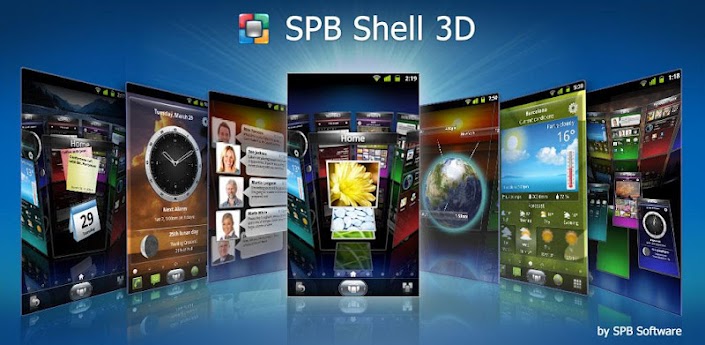
SPB Shell 3D v1.6.2
Overview : Next generation user interface. Enjoy your phone!
If you are not able to launch SPB Shell 3D, please use "Home Switcher" application from Android Market.
SPB Shell 3D Reviews:
"Butter-like smoothness" - Engadget
"As useful as it is gorgeous" - ZDNet
"Absolute Must-Have for every Android user!" - Gizmodo
"Looks Incredible And Runs Smoothly" - LAPTOP Magazine
To launch SPB Shell 3D press the Home button once installation is completed.
Features:
3D Home screen/launcher
Smart folders
3D widgets
Collection of panels and widgets
Check out our FAQ here:
http://j.mp/spbshell3d
If you are not able to download purchased application please check that your order wasn't declined by Google Checkout. You can check your order state at http://checkout.google.com.
Before using this application please read the license agreement which can be found at:
http://spb.com/about/eula_en
Please rate the app if you like it. If you have any questions or comments, please email us at shell3d@spb.com.
Please note that Hebrew, Hindi and Arabic languages are not supported.
Keywords: SPB Shell 3D, SPB Mobile Shell 5.0, home screen, launcher, widgets
What's in this version:
Version 1.6.2:
- Android 4.1 support
- Nexus 7 support
- Added grid size option to and 5x1 widgets for Samsung Galaxy Note
- Improved interface for tablets
- Added browser icon to the dock for tablets (Settings button moved to carousel)
- Fixed the issue with time zones for Asia
- Fixed incorrect current location issue
- Other improvements and bug fixes
Requirements : 2.1+
Download:
http://depositfiles.com/files/6qh43tsnz Please Post Your Suggestions.


 Posts
Posts


Post a Comment