Home » Calculators
Panecal Plus v3.0.4


Panecal Plus v3.0.4

Overview :A multiline scientific calculator which can input a numerical formula.

A multiline scientific calculator which can input a numerical formula.

[Features]
* Re-edit the numerical formula by △ key.
* A vibration and orange color key input confirmation. You can modify the vibration length in ALT+Setup.
* Arithmetic, trigonometric, inverse trigonometric, exponential, logarithmic function, power, power root function, factorial, and corresponds to the absolute value operations.
* DEG, RAD, GRAD mode.
* FloatPt, Fix, Sci, Eng mode.
* BS key, DEL key, INS key.

[adjustment of the key location]
In the case of new installation, the Panecal adjusts key location suitable for the resolution of the smartphone automatically. When it doesn't fit keys in the screen, you can adjust the key location automatically by changing parameter Margin function key=0, Margin ten key=0. In addition, you can set keys location inputting any number into these parameters.

[system environment]
More than Android OS 2.1
More than resolution HVGA(480 *320)

[Disclaimer]
Damage caused by the use of this software, the author also claims lost profits or any third party not assume any responsibility, Please note.

Recent changes:
Version 3.0.3 Date 2012.3.17
Fix exponential function again.

Version 3.0.2 Date 2012.3.14
Fix exponential function.

Version 3.0.1 Date 2012.3.5
Fix for factorial

Version 3.0.0 Date 2012.3.4
Previous versions were only extends the interval simply does not change the size of the key, in this version to compensate for the spacing of the keys by changing the size of the key. You may be able to set the size of the key of your choice.
Less description »

Latest version: 3.0.4 (, supports App2SD)


Requirements : Android v2.1+

Download:
http://aavg.net/rb0mr0v2kygh

Mirror:
http://rapidgator.net/file/34991791
http://turbobit.net/ojh9rb0o61u0.html


Please Post Your Suggestions.


Read More!
Convertor Pro v3.0.1


Convertor Pro v3.0.1

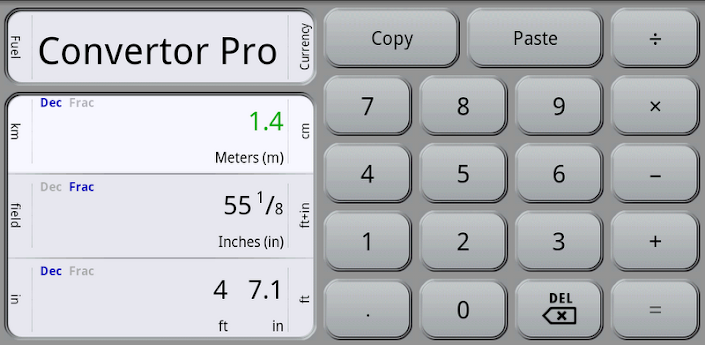
Overview : All the units you need to convert for work, wrapped in the best user interface around, as easy and intuitive to use as a calculator. It's unit conversion done right!

· Converts as you type (no "Convert" button to press)
· Use mixed units, like feet+inches
· Freely mix fractions (like ½) with decimals (like 0.5)
· Switch units by swipe, long-press, or menu
· Calculator with clipboard-based memory
· Currency conversions
· Supports tablets
· Over 400 units in 25 categories:
Acceleration
Angle, Plane
Area
Digital Bandwidth
Currency
Data Storage
Density
Energy & Work
Force
Flow Rate
Frequency
Fuel Economy
Length & Distance
Moment of Inertia
Power
Pressure
Radioactive Decay
Shoe Sizes
Speed
Speed & Velocity
SI Prefixes
Temperature
Time Span
Torque
Weight & Mass
Volume

What's in this version:
Add unit categories for Light, Luminance, and Illuminance
Add Chinese & HK units
Add various other new units
Add UI skins; Holo Dark is now the default on Honeycomb/ICS
Add option for buttons on left in landscape
Add option for fixed decimal places
Improve category & unit menu/actionbar icons
Improve operation of copy/paste
Improve accuracy of Shoe Size conversions
Reorganize Settings screen
Add About screen (in Settings)
Fix bug: fraction enable settings weren't working

Requirements : all Android versions, supports App2SD

Download:
http://www.MegaShare.com/4039292

Mirror:
http://turbobit.net/v2lety67p8s1.html


Please Post Your Suggestions.


Read More!
RealCalc Plus v1.7.4


RealCalc Plus v1.7.4

Overview :RealCalc Scientific Calculator.

RealCalc Plus is the enhanced version of Android's #1 Scientific Calculator, RealCalc - a fully featured scientific calculator which looks and operates like the real thing.

RealCalc Plus includes the following features:
* Traditional algebraic or RPN operation
* Fraction calculations and conversion to/from decimal
* Degrees/minutes/seconds calculations and conversion
* Result history
* User-customizable unit conversions
* User-customizable constants
* Percentages
* 10 memories
* Binary, octal, and hexadecimal
* Trig functions in degrees, radians or grads
* Scientific, engineering and fixed-point display modes
* Landscape mode
* Configurable digit grouping and decimal point
* Full built-in help

Quick FAQ:
* If any of the digit keys are disabled, or the decimal point doesn't work, or you have answers with letters in, or basic arithmetic appears to be wrong, then you are in binary, octal or hexadecimal mode. Press DEC to return to decimal operation. If you don't need these modes, please make sure that 'Enable Radix Modes' is disabled in the settings.
* If sin/cos/tan functions don't give the answer you are expecting, make sure you are in the correct angle mode. Degrees, radians and grads are supported, indicated by DEG, RAD, GRAD in the display. Use the DRG key to change mode.
* If the percent key appears to give wrong answers, make sure you are pressing '=' at the end, e.g. '25 + 10 % =' will give 27.5.
* If you want data size conversions in multiples of 1024, use kibibytes, mebibytes, gibibytes, etc - see en.wikipedia.org/wiki/Kibibyte.

What's in this version:
v1.7.4
Fixed bug in display of small negative DMS values.


Requirements : Android OS 1.5+

Download:
http://www.filesonic.com/file/yLFSdsE

Mirror:
http://www.slingfile.com/file/o8v5PlR49k
http://www.MegaShare.com/3830227


Please Post Your Suggestions.


Read More!
Graphing Calculator - MathPac+ v8.4 Android


Graphing Calculator - MathPac+ v8.4 Android

Overview : Best Graphing Calculator Application for Android.

MathPac+ offers Precision, Accuracy and Affordability with a robust set of features not found on any competitor's product!

Mathematics portion offers:
- On-Screen Help
- Word prompts...Graphs w/Evaluate,
Pinch/Zoom, Pan, Trace, Min, Max, Intercepts, Intersections, Zeros, Tableview, dy/dx, Graph of Tangent Line, Limits, & Integrals.
Also Factors, Slope-EQ, Sequences, Sums, Matrix Operations, Dot Products, Cross Products, 11-Regressions, Complex numbers, Degrees & Radians, a TVM Solver and of course a full function Scientific Calculator.

Statistics portion offers:
On-Screen Help, & Word Prompts, 8 Discrete Probability Functions,
7 Continuous Probability Functions,
All six 1&2-Sample Confidence Intervals,
All six 1&2-Sample Hypothesis Tests, and all come with graphs!
Direct Import of Lists from sdCard,
Regression Analysis w/T-Test, ANOVA, Dynamic Lists Transformations, Lists Operations, Factorial, nCr, nPr, Definitions, Formulas,
Dynamic: Histograms, Box Plots, Scatter Plots, Normal Probability Plots, & Pie Charts

What's in this version:
v8.4
added "Future Value" to TVM Solver

Provided by: -Market Militia-


Requirements : Android 2.2+

Download:
http://rapidgator.net/file/953481/mp84-MM.apk.html

Mirror:
http://extabit.com/file/27a5nerxqx97n
Please Post Your Suggestions.


Read More!
Calculations 4.0 Pro v1.2.7 Android


Calculations 4.0 Pro v1.2.7 Android

Overview : The best multi-function calculator and converter on Android. For ICS and 2.2+.

----------------------------------
5 Essential Functions: Advanced Calculator, Currency Converter, Measurement Converter, Mortgage Calculator, and Tip Calculator.
----------------------------------
"What the stock ICS calculator should have been" -TalkAndroid.com
***
"A nifty tool that can perform (those) tasks quickly" -Androinica.com
***
THANKS TO OUR PRO USERS FOR YOUR SUPPORT!
----------------------------------
- Calculator: Clean design with advanced functions for Pro users
- Currency Converter: Real-time (as you type) conversion to up to 10 selected currencies
- Measurement Converter: Convert units of length, area, temperature, volume, weight, and time as you type.
- Mortgage: See the payoff details on a mortgage or any loan, including advanced options such as points, insurance, maintenance, taxes, bi-weekly vs. monthly payments, and an amortization schedule for Pro users.
- Tipping Calculator: Enter your bill amount and calculate your tip quickly with a range of percentages to select from based on the service you received.

What's in this version:
Update v1.2.7:
1) Removed 'Phone Identity' Permission (only required for ads in free version)
2) Fixed Calculator API error for large sums

Provided by: -Market Militia-

Requirements : Android 2.2+

Download:
http://extabit.com/file/27a6ismhhgw0y
Please Post Your Suggestions.


Read More!
Calc HD v1.0.4066.28820

Image

Calc HD v1.0.4066.28820

Overview :
- You can input a formula such as "√(5)×√(5)×5×(√(25)-1)", then calc will give you the result "=100".
- You can use function like "Sin、ArcCos、Ln".
- You also can use senior function like "Abs、Ceil、Floor、Round".
- More intelligent that you can not input a wrong formula like "5××5", "1.2.3"
- Humanized that when you input "5×" and then you press "÷", the formula will be "5÷".
- You can PASTE the result to FORMULA
- You can customize Sliding Sensitive by SlideDelay value in CalcConfig.xml
- You can customize Sliding Allowed Pixels by SlidePixels value in CalcConfig.xml
- You can OPEN Special % MODE in CalcConfig. Then the math rule will change. For example, 50-40%=30, 30+150%=75 etc. Default is CLOSE, change SpecialPercent value to 1 to open it.
- You can change the color for calc through "CalcConfig.xml".

Requirements : Windows Mobile 6 or newer and WVGA screen

Download:

http://rapidshare.com/files/448592260/CalcHD.rar
http://www.megaupload.com/?d=4HFTQ3QQ
Please Post Your Suggestions.


Read More!
MathU Pro 4.2


Overview : MathU Pro is a state-of-the-art programmable Reverse Polish Notation (RPN) scientific and financial calculator for Windows Mobile handheld computers. It is made for professionals like you. With MathU Pro, you can harness the numerical power of the Windows Mobile handheld computer to solve your computational problems.

• Full set of scientific functions
• Integrated time value of money (TVM) financial functions
• Powerful equation solver and root finder
• Programs are written in an easy to learn keystroke-like language. Any entry point in a program can be assigned to a key on the keyboard.
• Quickly switch between programs via a popup menu on the main screen.
• Drag & drop programming in the editor.
• Visual debugger.
• Assign your program functions to any key on the keyboard.
• Popup list of all the built-in functions on main keyboard
• Double precision accuracy.
• Supports high resolution devices and devices with square screens
• 16 element stack
• 119 built-in functions (including 5 financial functions and 8 statistical functions)
• 1044 memory registers (20 are global and 1024 are persistent and local to each program).
• Programs can contain up to 32000 lines, 255 labels, 255 strings (for CONST and SHOW) and can access up to 1024 variables, 20 global registers and the 16 element stack.

What's new in Version 4.2:
MathU Pro 4.2.0 adds a new layouts for tall, wide and landscape devices. The menu fonts have also been increased to make them easier to select using your finger. A minor bug was also fixed in the AND, OR, and XOR functions when acting on negative numbers, the functions now correctly truncate to the chosen wordsize.

Requirements : WM5.WM6.5

Download:

http://www.megaupload.com/?d=POTEG1QE
Please Post Your Suggestions.


Read More!
Wing Calculator v.1.03.32


Wing Calculator v.1.03.32


Overview : Wing Calculator is an application that is used for performing mathematical calculations, which can help users to solve some complex mathematical problems quickly.

Calculator is the interface which user makes math calculation.
It provides the following functions:
- Basic math operation
- Advanced math operation
- Switch page conveniently and speedily

Requirements :
Download:

http://www.megaupload.com/?d=YPVUX2KN
Please Post Your Suggestions.


Read More!
SFR Calculator v2.4.0


SFR Calculator v2.4.0

Overview : SFR Calculator is a revolutionary new kind of pocket calculator. With SFR Calculator, also extensive calculations remain clearly structured. SFR Calculator makes the arithmetic process visible - you can generate intermediate results and subsequently correct or change all numbers and operations.

Features:
* SFR Calculator substitutes your desktop calculator or other software calculators
* Input a long list of values to be calculated and never lose the overview - just like a desktop paper tape calculator.
* Use intermediate results to check and structure your calculation.
* Comment single lines.
* Enter any text between your calculations. You can change any number, any operator at any time. The complete calculation will be updated automatically
* Save your calculations to files. Open the files later and change the calculations. SFR Calculator will refresh the whole calculation automatically.
* Use SFR Calculator files as templates. Create similar calculations and scenario calculations by simply changing numbers.
* Send the complete calculation to a business partner via e-mail.
* SFR Calculator masters the four basic arithmetical operations, exponentials, and percentage calculations.
Version 2.4.0:
* Added support for 320x480 (HD mini)

Requirements : WM2003(SE), WM5, WM6

Download:

http://www.ziddu.com/download/11140343/SFR.Calculator.v2.4.0.rar.html
http://www.megaupload.com/?d=6GBZB3HC
Please Post Your Suggestions.


Read More!
Calilei Calculator FX v1.5


Calilei Calculator FX v1.5


Overview : Calilei Calculator FX is a powerful scientific calculator for Windows Mobile.

Here are some key features of "Calilei Calculator FX":
· Decimal, Hex, Bin, Oct, Complex, Vector, Matrix
· Trigonal Function
· Hyperbolic Function
· Probability and statistical function
· Arithmetic
· Fraction
· 3 times integration and sum
· Display 12 types of 2-D diagrams
· 1000 entries for constants
· 1000 entries for functions
· 1000 entries for tables

Requirements : WM5/WM6

Download:

http://www.ziddu.com/download/11084848/Calilei.CalculatorFX.v1.5.rar.html
http://www.megaupload.com/?d=GH8SEB6Z
Please Post Your Suggestions.


Read More!
Filmcalculator v6.1


Filmcalculator v6.1

Overview : Finally a completely new Filmcalculator for Windows Mobile version.

This new version makes use of some advanced techniques to enlarge the screen to a more usable area. Everyscreen scrolls with your fingertips, therefor allowing for more information on the screen. It also helps to make the buttons and controls big enough to use your finger instead of the pen. It is not very convinient on the set to pull the pen out all the time and we hope this is the right solution.

The whole Filmcalculator layout including the controls and sliding screens are an exact copy of the iPhone version because that one proofed to work really well. It also supports landscape mode.

Requirements : WM5-6.x, .NET CF 2.0

Download:

http://www.megaupload.com/?d=BHMWFS10
Please Post Your Suggestions.


Read More!
SpaceTime v4.0.Update.5-1


SpaceTime v4.0.Update.5-1

Overview
: SpaceTime is the most powerful calculator ever made for mobile devices.

SpaceTime is the most powerful calculator ever made for mobile devices with 2D, 3D, and 4D graphing and MobileCAS Technology for algebra and calculus.

From the high school student to the professional engineer, SpaceTime allows you to explore mathematical concepts in an easy-to-use interface with helpful tutorials that show you how to plot graphs calculate equations, and solve formulas in seconds. SpaceTime turns monochrome math into full color, real-time art.

Requirements :
· Windows Mobile 2003/5/6.x

Download:

http://www.ziddu.com/download/10656303/SpaceTime.v4.0.Update.5-1.rar.html
http://www.megaupload.com/?d=H6R9YRRT
Please Post Your Suggestions.


Read More!
Panoramic Calc Pro v2.9.0

Image

Panoramic Calc Pro v2.9.0

Overview : Panoramic Calc Pro offers more power, more features and the most accuracy than any other mobile calculator.

* Ten calculators included for uncluttered and efficient performance: Standard, Scientific, Base Conversions, Graphing, Unit Converter, World Currencies, Date & Time (Touch Screen Only), Constants, Financial, and Statistics
* The Financial Calculator contains 10 powerful calculator worksheets to help solve common financial problems
* Five (5) display options: normal, fractions, scientific, engineering and fixed (2-10 decimal places)
* Five (5) calculator modes: simple, algebraic, direct algebraic, expression and RPN
* Copy and Paste functionality allows transfer of results to other programs, such as Excel and Word
* Option for use of regional settings to format onscreen answers
* Open and Saving of CSV files for both regression worksheets
* Easy to use menu systems for quick and intuitive navigation
* Record Tape option outputs a text record of all your calculations so you can review later
* Quick Toggle button to return to the previous calculator
* Five (5) custom skins
* Finger friendly buttons and menus for touch screen devices
* Simple to use - most options are available just by tapping the display (Touch Screen).
* "Smart Input" technology prevents you from entering invalid expressions and avoids errors

Version 2.9.0 - Released June 03, 2010
# Corrected Thermal Conductivity values for the elements (Constants) and added several missing TC values
# Corrected all references to kevin (chaged Kelvin to kelvin and removed degree symbol before K)
# Added Portuguese, Spanish, German & French localization
# fixed 16 digit display bug
# Now shows value of selected constant when pressing the Constants button on the Scientific Calculator
# Now shows the favorite constants on the Constants Calculator on the first button
# Fixed M+/M- repeated press bug
# Updated graph screen to use Calc Pro style menu
# Improved depreciation worksheet labels
# Added fullscreen option for touch screen devices
# Added full keyboard display for Windows Standard devices with keyboards (supports QWERTY, AZERTY, & QWERTZ)
# Commonized DlgOptions code across all 5 calculators (only needed difference was populate options)
# added the Percentage button to Scientific as the 2ndF to the Constants button
# fixed nCr bug when r is set to 0 - returns 1 now instead of imaginary
# Added option to set RPN stack to 2
# Added Power conversion to Tons Refrigeration
# Positioned options screen kinetic list above menu
# Fixed comma separator on 3 digit negative values bug
# Improved font reloading when changing orientations
# Added 2 new Percent buttons on the financial calculator
# Minor RPN improvements
# Added "MessageBeeps" when adding constants

Requirements : WM5-6.5

Download:

http://rapidshare.com/files/395386738/Panoramic.Calc.Pro.v2.9.0.CAB
http://www.megaupload.com/?d=XT4O2PV9
Please Post Your Suggestions.


Read More!
Legal Research Laboratory Legal Calculator Mobile v1.9

Image

Legal Research Laboratory Legal Calculator Mobile v1.9

Overview
: LegalCalc Mobile is a program to carry out some sort of calculations, such as percent, fine, penalty, number of calendar days, number of working days between any two dates, state tax when suing.

Requirements : Windows Mobile 2003/5.0/6.x

Download:

http://rapidshare.com/files/375596952/Legal.Calculator.Mobile.v1.9.rar
http://www.megaupload.com/?d=H1VV9XH1
Please Post Your Suggestions.


Read More!
iSS SciCalc v3.1.3


iSS SciCalc v3.1.3

Overview
: Description
iSS Calc Pro 1.0 has merged with iSS SciCalc 2.3 to become iSS SciCalc 3.0. Offering the best features of both products and much more!

iSS SciCalc is a powerful replacement to the default Windows Mobile Calculator. You can use iSS Calc Pro in Standard view to do simple calculations, Scientific view to do algebraic or trigonomic calculations, or in Base Conversion view to convert between Decimal, Binary, Octal and Hexadecimal numbers. iSS SciCalc now supports graphing and comes with over 1500 constants. iSS Calc Pro can be used to perform any of the standard operations for which you would normally use a handheld calculator.

Features
* Five views included for fast and efficient performance: Standard, Scientific, Graphing, Constants and Base Conversions
* Five calculator modes: simple, algebraic, direct algebraic, RPN, and expression
* Five display settings: standard, scientific, engineering, fixed and fractions
* Includes all standard and scientific calculator functions you would expect to find on a handheld calculator
* Copy and Paste functionality allow transfer of results to other programs, such as Excel
* Option for use of regional settings to format onscreen answers

Application Features
* Optimized for single-handed use
* Optimized for extended battery life and efficient memory usage
* Full stylus support (for supported devices)
* No additional files required

Requirements : WM5-6.5, all resolutions

Download:

http://rapidshare.com/files/360669741/iSS.SciCalc.v3.1.3.CAB
Please Post Your Suggestions.


Read More!
iSS Quadratic Calc v3.5.0

Image

iSS Quadratic Calc v3.5.0

Overview
: A specialized quadratic function calculator from Implicit Software Solutions Inc.

Features
* Quadratic equation solver
* Real or imaginary solutions
* Graphs quadratic and linear equations
* Zoom and translation graphing abilities
* Any numerical values accepted for A, B, & C

Requirements : WM5-6.5, all resolutions

Download:

http://rapidshare.com/files/360669006/iSS.Quadratic.Calc.v3.5.0.CAB
Please Post Your Suggestions.


Read More!
iSS Regression Calc v3.5.0


iSS Regression Calc v3.5.0

Overview
:A powerful tool that stores, manages, and graphs linear 2-dimensional data by Implicit Software Solutions Inc.

Description
An excellent way to store, manage, and graph two dimensional data. You will need to enter data in pairs of x and y co-ordinates. After entering three or more pairs, you may graph the data. iSS Linear Regression Calc will display your data along with a best fit line. Ideal for lab work, field work, or for students, where having a personal computer isn't always convenient. You may load from or save data to CSV files, which are compatible with almost every spreadsheet application, including both Excel and Quattro Pro. iSS Linear Regression Calc is great for checking data on the fly, or for saving it for later analysis.

Features
* Easily finds the best fit line of your data
* Quickly calculates slope, y intercept, and r values from your 2D data
* Open and save data sets as Excel CSV files
* Easily enter data through the custom interface
* Full graphing capabilities, including zooming and translation
* Over Ten (10) levels of zoom

Requirements : WM5-6.5, all resolutions

Download:

http://rapidshare.com/files/360668214/iSS.Regression.Calc.v3.5.0.CAB
Please Post Your Suggestions.


Read More!
iSS Financial Calc v.2.6.0


iSS Financial Calc v.2.6.0

Overview : This calculator is designed to quickly calculate payments on a car, a lease, or a mortgage. It even calculates how much you should tip after your next meal. iSS Financial uses the same formulas used by financial experts. This calculator is perfect if you are on a tight budget, or comparing value options. Put iSS Financial to work for you for all your major purchases

Features
* Mortgage calculator with amortization table
* Lease calculator
* Car loan calculator
* Tip calculator
* Quick and accurate calculations
* Easy to use and responsive interface
* Low memory usage
* Save your calculations to review or compare later (two (2) per calculation type)

Car Loan
iSS Finance uses the exact equations the car dealer uses: never wonder if you're paying for extra or hidden fees. iSS Financial allows you to enter important information including: Sales Tax, Registration Fees, Down Payment, Rebates, Trade Ins and more.

Lease
The Lease calculator uses exact equations, not approximations. Car Leases are often padded with hidden costs, bring iSS Financial to the dealership to make sure your monthly payments are exactly the right amount. And with two profiles you can easily compare costs from more than one source.

Mortgage
iSS Financial has everything to quickly calculate mortgage payments with all of the key features you need. Calculate a mortgage with or without points, include insurance costs, other recurring costs, and property tax. Its detailed Payment schedule screen gives you all of the numbers that you need right at your finger tips. The easy-to-read amortization table lets you quickly see where your money is going each month. Includes calculations for TEN different payment schedule types-you will be able to calculate the real numbers on your next mortgage!

Tip
The Tip Calculator allows you to calculate the total cost of your next dining experience. Enter the price of your meal, the number of people who are splitting the tab, the percentage of the bill that you would like to tip, and iSS Financial calculates the total tip and the total cost for each person.

Requirements : WM5-6.5, all resolutions

Download:

http://rapidshare.com/files/360667146/iSS.Financial.Calc.v2.6.0.CAB
Please Post Your Suggestions.


Read More!
SMath Studio v0.87


SMath Studio v0.87

Overview
: Absolutely free mathematical application with "paper"-like interface and numerous computing features (now with integrated mathematical reference book).

Traditionally, since the appearance of the first programs, their speed and available features are ever increasing, while user interfaces are getting more and more complicated. As a result, the non-professional users are unable to deal with these overcomplicated features. As intuitive user interfaces of modern operating systems evolve and computers become more and more powerful, this non-trivial problem is gradually receiving outstanding solutions in terms of simplicity of use. However, most of the mathematical programs are still utilizing user interfaces inherited from very first pocket calculators. It is no secret that a "paper"-style of recording of mathematical expressions is the most convenient to users.

What's new in SMath Studio 0.87:
· Dynamic Assistance technology implemented (Ctrl+space to manually activate; Tab, Ctrl+Enter, Shift+Enter, DoubleClick or *+Enter for Smartphones to accept current menu item). Option can be turned off using "Dynamic assistance" item of "View" menu;
· Added support for plugins;
· Teamwork Sessions implemented;
· Added ability to change Decimal Symbol and Argument Separator symbol through global options of the program;
· Controls Border on/off Toolbar button added to the main program Toolbar;
· Application Settings now stores in the Application Data folder of current user (no more permissions issues will appear on settings file save). Portable Desktop version still stores settings in the current application folder;
· Smooth controls moving implemented (affects on page controls location changing, on file opening and new page controls created from clipboard). Option can be turned off with manual editing of settings.inf file from Application Data folder;
· Desktop: New supported file types added to the Insert Image From File dialog: bmp, gif, jpeg, jpg, jpe, png and ico;
· Desktop: Added ability to insert images to the page using Drag'n'Drop;
· Example files added to Examples Dialog: Hermite Polynomials, Laguerre Polynomials;
· Added save files dependencies (SMath Studio and plugins versions) check on file open;
· Added plugins dependencies (SMath Studio and additional plugins versions) check on plugins load;
· Examples Dialog loading speed increased (especially for Handheld version);
· Substitution of the user-defined variables and functions speed increased;
· "Delete" keyboard button handler added to the Math Control;
· "Home" and "End" keyboard buttons now can be used inside Text or Math controls to move cursor to the end or to the start of expression;
· Desktop: Several icons added to the Main Menu;
· Desktop: Width of the Settings Dialog increased;
· List of Examples into Examples Dialog now sorted alphabetically;
· Not documented function fft(..) added to numeric library;
· Function if(..) improved. If condition is not '1' or '0' then error message will be shown;
· Functions wfile(..), rfile(..) and dfile(..) now works with ApplicationData/SMath/user directory;
· Handheld: Settings Dialogs improved;
· New rules implemented for Symbolic library: "sin/cos", "cos/sin", "sin*ctg", "cos*tg";
· Fixed calculation errors, when calculation was in progress in two or more threads (i.e. Pages) at the same time;
· Fixed issue when wrong Fraction Type option set after calculation of equation with manually specified Fraction Type;
· Fixed issue when it was impossible to insert special chars of Polish and some other languages (RightAlt+[char]);
· Fixed user interface synchronization issues when switching Page windows in the scope of one application process;
· Fixed wrong limit(..) function drawing;
· Fixed issue with changing MathControl to TextControl on space insert. Sometimes this cause creating of the text element with wrong location;
· Fixed error when Decimal Places option unexpectedly becomes equal to 15;
· Fixed calculation issues with nested diff(..), sum(..) and product(..) functions;
· Fixed error when symbolic calculation of round(..) function returns a mod(..) function;
· Fixed error when graphs couldn't be ploted;
· Numeric composition of Matrix and Complex number error fixed;
· Symbolic Boolean operators priority error fixed;
· Fixed symbolic differentiation error: "el(x;1)-el(x;2)=0";
· Symbolic calculation error fixed, f.e.: "arccos(-0,3536)";
· Numeric calculation errors fixed, f.e.: "5^{1/0.1}", "sin(sys(1;1,2;2;1))", (-2.1)^2="...+i*...", "(-1.1)^20=...";
· Desktop: Fixed critical error on edited pages closing, if user will Cancel closing of the second Page;
· Fixed error "A Graphics object cannot be created from an image that has an indexed pixel format." when insert some types of images to the page;
· Desktop: Fixed error when SMath Studio tries to open non SMath Studio documents on wrong type document(s) Drag'n'Drop;
· Desktop: Example Dialog Title corrected (symbol ":" removed);
· Fixed open wrong file issue: now if file was not parsed (or some other critical error appears) no new blank page will be created;
· Desktop: Fixed error happens in case of any exception while opening Save File: wrong font styles can be applied to the global options of the program;
· Handheld: "All files" type of the Insert Image From File dialog changed to accept only bmp, gif, jpeg, jpg, jpe, png and ico images;
· Desktop: Examples into the Insert Function Dialog and into Insert Operator Dialog are now centered;
· Export to HTML image id's order fixed;
· Indonesian language translation added;
· Indonesian language descriptions added to Examples Dialog files;
· Polish and Danish translations updated;
· Code optimization.

Requirements :
· Windows Mobile 2003/5/6.x
· Pocket PC 2002


Download:

http://www.megaupload.com/?d=3VJ7TGNB
http://rapidshare.com/files/348666135/SMath.Studio.v0.87.cab
Please Post Your Suggestions.


Read More!
Field Firing Solutions Delta III v4.0.2.29


Field Firing Solutions Delta III v4.0.2.29

Overview
: Field Firing Solutions is used to obtain a real-time firing solution in the field based upon current atmospheric and target data. The trajectory computation engine is the same as used in the desktop programs, but has output limited to the specific information needed for a complete firing solution: elevation, windage, lead, and hold-off. Elevation is given in terms of an MOA adjustment and actual turret solution; windage is output in terms MOA for scope adjustment and Mils for a wind correction hold-off with a mil-dot scope; lead is the hold-off correction needed for a moving target given in terms of MOA or Mils for use with a mil-dot scope.

Requirements : PPC WM6

Download:

http://rapidshare.com/files/342210141/Field.Firing.Solutions.Delta.III.v4.0.2.29.cab
Please Post Your Suggestions.


Read More!